
The Morro Microsoft Teams App allows Admins to get notifications via Microsoft Teams for device, file system, and other Morro Cloud Manager events. You can add multiple Microsoft Teams accounts for flexible messaging.
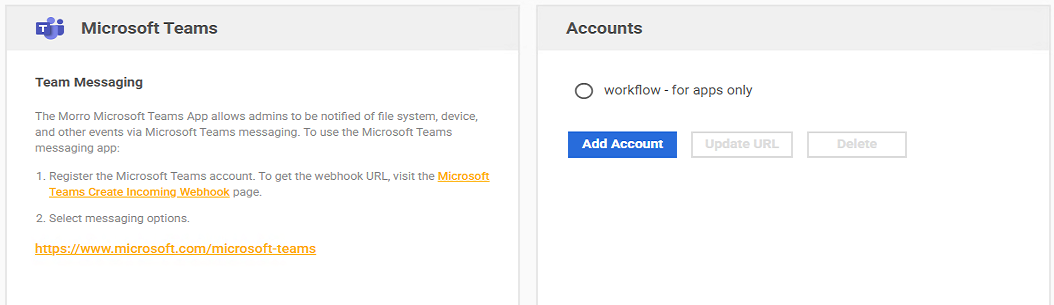
To setup Teams integration with the Morro Microsoft Teams app:
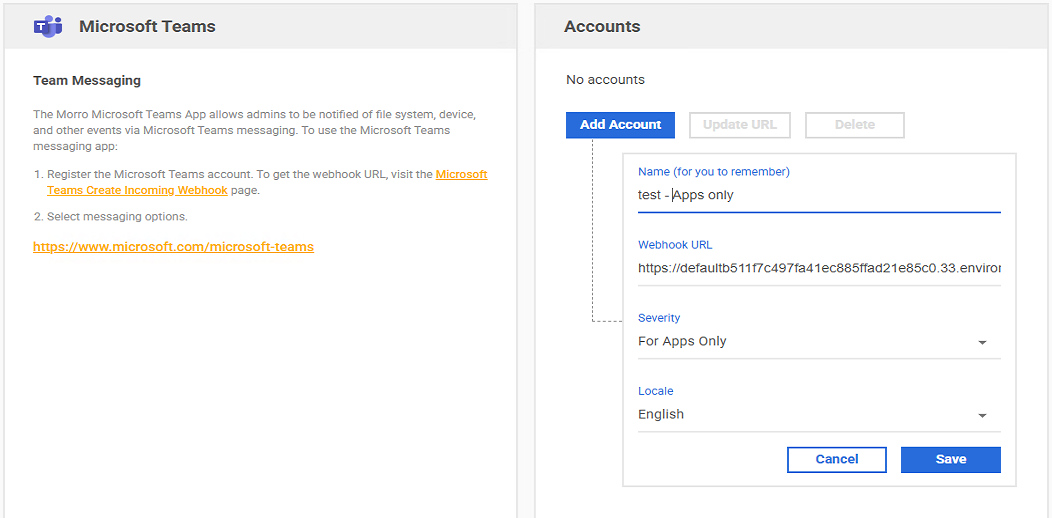
- Click the "Add Account" button.
- Get your Webhook URL from the Microsoft Teams Create incoming webhooks and enter it in the "Webhook URL" field.
- Select the desired Severity and Locale.
- Click the "Save" button.
To update the webhook URL of the Morro Microsoft Teams apps account:
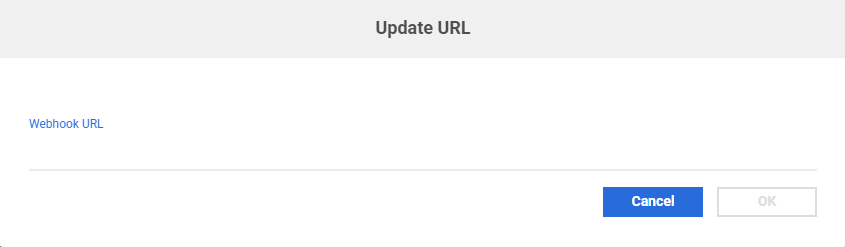
- Click the checkbox of the Teams app account, and click the "Update URL" button.
- Input the new URL and click the "OK" button.
To delete a Microsoft Teams app account, click the checkbox of the Teams app account, click the "Delete" button, then confirm the deletion.