
The Maintenance menu in the Devices - General tab allows you to perform maintenance on the device.
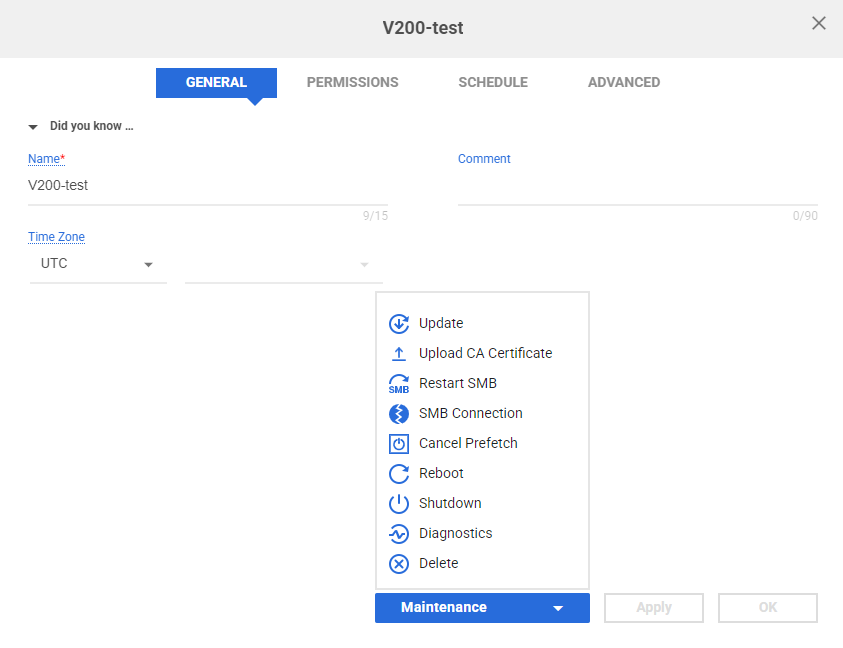
- Update - Update device firmware to a new version. This option only appears when there is a newer firmware version.
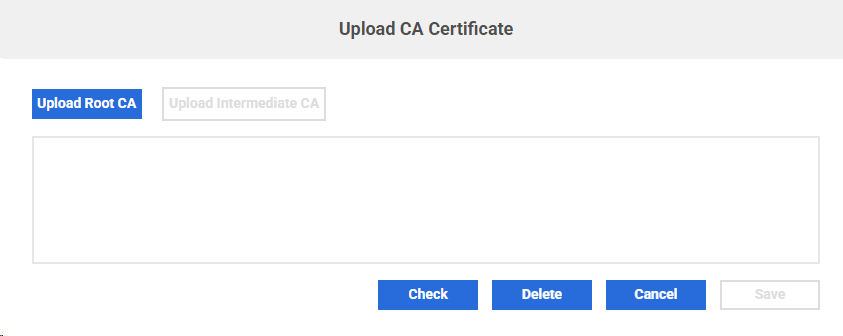
- Upload CA Certificate - Install CA certificate to CacheDrive. The CA certificate will be validated first.
- Restart SMB - Restarts the SMB service on the device.
- Kill SMB Connection - Terminate SMB connection that takes too much resource.
- Cancel Prefetch - Remove all remaining prefetch requests in the CacheDrive, but the file which is being fetched will be fetched completely.
- Reboot - Perform a safe reboot.
- Shutdown - Perform a safe shutdown.
- Delete - Deletes the device from the Morro Account.
- Diagnostics - Open the diagnostics page.
- Start CiC - For CiC (Morro-deployed CacheDrive in Cloud), use this option to start or restart a CiC virtual machine. This is useful in cases where the device is powered off or unresponsive and needs to be hard reset. This option only appears when CiC is offline.
Update
You can schedule a time for a firmware update. A firmware update will always include a reboot.

Upload CA Certificate
When needed, you can upload the CA certificates to the CacheDrive using this option.
You must install the root CA first before installing the intermediate CA.
After selecting the certificate file, UI will validate whether the certificate is valid.
Click the "Check" button to view the CAs that have been installed on the CacheDrive.
Kill SMB Connection
You can sort SMB connections by memory usage or by CPU usage. You can filter connections by username, share or client machine. You can select one or multiple connections to terminate. You can kill all connections to a share, or all connections from one machine.

Reboot
Rebooting the device may help resolve some temporary issues. You can also set a schedule for reboot time.

Shutdown
You can shut down the CacheDrive with a schedule.

Delete
If you want to delete a device that is still performing jobs, a prompt will appear.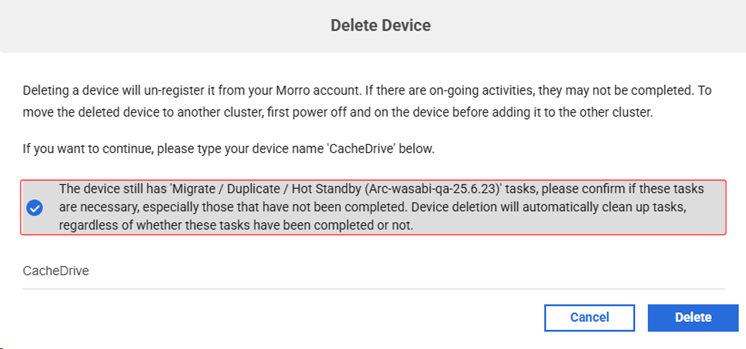
- While Migrate, Duplicate, Clone, Hot standby, or Recovery jobs were in progress. By selecting the prompt and entering the device name, the device can be deleted whether it is online or offline, and the job will also be deleted.
- Limitation: If the device is the source gateway of a Clone job, deleting the device will not automatically delete the Clone job. The job needs to be deleted manually.
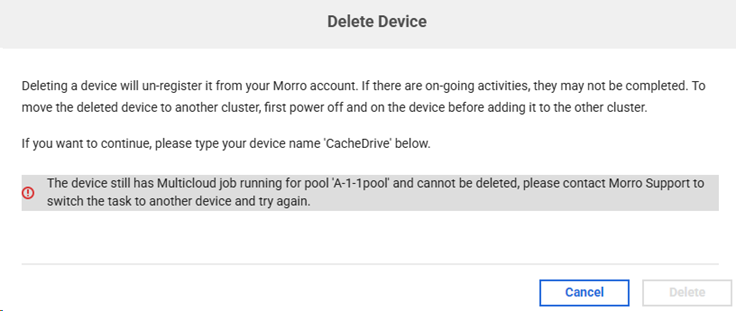
- While a Multicloud job was in progress, deleting the device performing the job was not supported. The prompt indicates the needs that to contact Morro Support to switch the task to another device and try again.
Diagnostics
Please check https://support.morrodata.com/a/solutions/articles/14000136970.